
Creating an accessible landing page isn’t about just checking off all the boxes to say you’re compliant with web regulations. It’s about building a page that works for everyone who will access it, whether they’re accessing your page through a mobile phone screen reader or zooming in on your text because it’s too tiny to read.
When we talk about an accessible landing page, we mean a page that provides equal access and opportunity to engage with your content and interact with the page. It should go beyond just meeting bare minimum accessibility standards to truly serving all potential users.
Many business owners falsely see accessibility as just an extra cost or hassle, but building your landing page with accessibility in mind opens you up to an entire world of users you may have accidentally excluded before. Accessibility leads to more website traffic, better conversions, and higher ROI. Who wouldn’t want that?
We all want to create exceptional web experiences that convert visitors into customers and clients. The best way to do that is to build intuitive and easy-to-access landing pages from the start, rather than trying to retroactively add in accessibility features.
In this article, we’ll cover web accessibility best practices tailored to optimizing landing pages. We’ll look at what web accessibility means, who it helps, and most importantly – how you as a business owner can implement these practices. Let’s dive in!
Web accessibility refers to the inclusive practice of removing barriers that prevent interaction with, or access to, websites on the internet.
When sites are designed with accessibility in mind, they can be navigated and understood by the widest possible range of users. This includes people with visual, auditory, mobility or cognitive disabilities.
Accessible websites follow standard web accessibility guidelines and principles to ensure content is delivered in inclusive ways. This means creating web pages that provide information and functionality in formats that can be perceived, operated, understood and robustly interacted with.
Making these types of accommodations allows those with disabilities to consume content in ways tailored to their individual capabilities and needs.
Website accessibility is a crucial element – not an optional extra! Building inclusively from the start ensures you create the best experience for the most users possible. This allows everyone equal opportunity in accessing information, enjoyment in browsing, efficiency in completion of tasks, and engagement with services you provide.
Creating an accessible landing page has immense benefits beyond just meeting legal and ethical requirements. It can significantly widen your target audience reach, boost conversions rates, improve SEO and provide strong ROI.
When your landing page follows web accessibility best practices, you open your business up to new demographics like those with disabilities or functional limitations. As statistics show, this is a large population of potential new customers!
Making content perceivable for the blind and visually impaired through screen readers, understandable for those with cognitive limitations, and operable for those navigating via keyboard only ensures more visitors can actually use your site.
This in turn leads to higher conversion rates, as more users find value in your pages. Opting for accessibility means a site designed for ease of use, simplicity in completing tasks, multiple options for engagement and built-in customization features. Who wouldn’t want to convert on that?
There are also various SEO benefits to accessible sites like improved online reputation, positive press and brand visibility. Companies dedicated to inclusivity and corporate social responsibility tend to rank well.
When looking strictly at dollars, statistics clearly show building accessible sites provides strong ROI. More traffic, better conversions and improved brand sentiment pays off.
Really, web accessibility is a win-win proposition boosting both social goodwill and your bottom line. That’s what I call good business!
The business case for investing in website accessibility and building inclusive landing pages is clear when you look at the numbers. Statistics show that accessible websites simply make more money.
According to online surveys, 71% of people with disabilities say they will spend more money with companies that have accessible digital content. That’s a huge untapped market most businesses miss out on.
Research also indicates that the global population of people with disabilities actually has at least $8 trillion in disposable annual income. That spending power can significantly impact your business’s bottom line.
Beyond disabled individuals themselves, many of their family and friends also gravitate towards companies seen as inclusive. A 2021 survey found that 37% of respondents had stopped visiting, recommending or giving positive reviews to businesses with inaccessible websites.
The same survey showed accessible sites can raise conversion rates by up to 40%. Whether that means more newsletter signups, service inquiries or product purchases, that additional revenue adds up.
In terms of ROI, statistics report that for every $1 spent on accessibility features, companies see on average $9 in benefits. Other sources calculate ROI for accessible sites to be as high as 1208%!
When looking at the big picture, companies that prioritize inclusion and corporate social responsibility also tend to perform better financially. Consumers are drawn to ethical brands that match their values.
Clearly, investing in an accessible landing page that reaches the widest audience possible has quantitative and qualitative perks. It’s both the right thing to do, and the smart thing to do for sustaining a successful business.
When building an accessible landing page, it’s important to adhere to standard web accessibility principles and best practices. The Web Content Accessibility Guidelines (WCAG) outline globally recognized standards for creating inclusive web content.
Published by the World Wide Web Consortium (W3C), WCAG aims to provide accessibility recommendations for those designing, developing and editing websites. The guidelines outline methods to make digital content accessible for people with various disabilities like visual impairment, hearing loss, limited movement or cognitive disabilities.
WCAG organizes accessibility best practices into four guiding principles informally referred to as the POUR principles:
Users can identify content and interface components through one of their senses. This includes text alternatives for images, captions for audio, adaptable content layout based on device, and sufficient color contrast.
Components and navigation can be accessed and operated by any user. This includes keyboard compatibility, avoiding time limits, minimizing seizures risks from flashing content, and consistent functionality across modern browsers.
Content and interface are clear and limit confusion. This includes clear labeling of navigation and controls, error identification, and language that is straightforward and concise.
A wide range of technologies can access content. This includes fallback options for coding, standard HTML use, and designing for common assistive technologies like screen readers.
Using WCAG’s POUR principles and wide range of additional success criteria as a guide sets websites up for accessibility success. When landing pages meet these best practices, they deliver information fully, equally and inclusively to all users.

When writing content for your landing page, shorter, descriptive copy makes information more accessible. Streamlined text in clear sections aids all users in easily perceiving, comprehending and interacting with key messages.
Use clear, unlabeled headings that concisely explain what the following text entails without needing additional context. These descriptive titles allow users to quickly navigate to sections most relevant to their needs. Keep headings succinct within your site’s navigational hierarchy.
Within sections, use concise bodies of text split into scannable paragraphs when possible. Research shows web users don’t actually read full passages of text word for word. Instead, we intuitively scan for key bits of information relevant to our intent.
Craft descriptive opening sentences for each paragraph that summarize the key message or action item covered. This allows users to quickly determine if the details in that paragraph are useful to engage with further or not.
When describing concepts, products or services, use basic vocabulary over niche jargon when you can. If specialized terminology is essential to include, briefly define these terms in simple language on first use.
Overall, tightening up verbose content into clear and scannable sections aids all users in pinpointing crucial information. Streamlined copy reduces cognitive load and eliminates unnecessary barriers to quickly accomplishing site goals. Whether that’s purchasing a product, signing up for a service or consuming educational resources – easy-to-digest content keeps users progressing forward.
When creating content for your landing page, use clear, concise language to convey information to visitors. Well-organized, readable copy allows all users to easily understand key messages and value propositions.
Providing easily consumable information through well-written copy allows all visitors to understand offerings, features and value right away. Plain language claroys messages effectively while accessible design broadcasts them widely. Together, they allow your landing page to resonate with audiences as intended.
Crafting an accessible landing page means ensuring all users can efficiently navigate and interact with key sections needed to convert. Logical page structure, clear calls-to-action and multiple options to progress boost on-site usability.
Creating an intuitive, frustration-free browsing experience allows visitors to easily access sections most useful to them. It also reduces exiting your page prematurely due to confusion or blocked pathways.
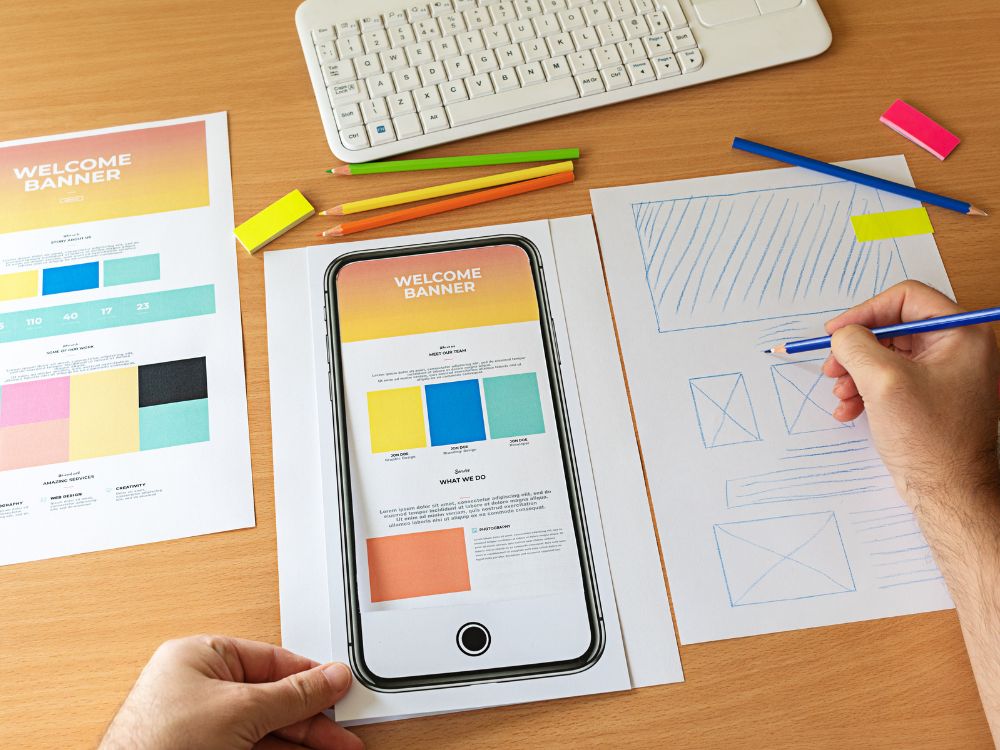
With growing internet consumption happening on mobile devices, making your landing page mobile-friendly is vital for accessibility and conversions. Optimized responsiveness ensures equal access and experience.
Use responsive web design making your landing page flexible to any screen size. Text, images, buttons and sections should resize and rearrange seamlessly based on device. Avoid horizontal scrolling or zooming to read content.
Check that tap targets for navigation links, forms and calls-to-action are large enough for accurate fingertip selection. Include ample spacing between elements to minimize mis-tapping.
Ensure web page components are still operable by touch when needed. For example, drop-down select boxes still toggle open and buttons can leverage finger taps.
Confirm forms and input fields utilize updated HTML5 markup, providing inline validation prompts upon entering data incorrectly. Inline error flagging means users avoid losing progress if submitting imperfect data.
Use device sensors to appropriately size, position or hide elements depending on device movements. For example, hide a sticky header while scrolling down pages then showcase it again when users scroll up.
Testing landing page functionality on real mobile devices during development, not just resizing browser windows on desktops, catches device-specific quirks. Conduct user acceptance testing on smartphones to confirm responsive readiness for prime time mobile traffic.
Images can capture attention and communicate key messages on landing pages quickly. However, those using screen readers rely on succinct text descriptions to convey visual details that frames alone cannot.
Adding a few sentences to describe visual assets takes little effort but provides immense value allowing those with visual impairments to conceptualize key landing page elements. Treat alt text as an opportunity, not just an obligation!
Verifying your landing page meets web accessibility standards takes a combination of automated audits and manual expert testing based on the latest WCAG criteria. Ongoing assessments ensure you catch issues early.
Use web accessibility evaluation tools like WAVE, Siteimprove or Accessibe to scan pages and flag gaps like missing alt text, insufficient color contrast, empty links/buttons, and more. Fix all high severity alerts.
Install browser extensions like axe or WAVE to spot accessibility issues right within your browser as you navigate pages during development. Real-time feedback speeds up remediation.
Hire specialists to conduct in-depth WCAG assessments tallying pass or fail rates for each standardized rule. Expert analysis identifies areas needing work and recommends technical guidance.
Perform manual keyboard testing on all interactive elements to confirm full functionality without needing to use a mouse. Keyboard access ensures operational integrity.
Conduct user testing with participants having different disabilities to confirm intended interpretations. First-hand feedback pinpoints confusing areas.
Build out a comprehensive list of accessibility acceptance criteria and tests cases to validate against before launching any new page externally. Prevention beats scrambling later.
Ongoing testing ensures you don’t accidentally introduce new barriers with site updates. Bake evaluations into release checklists and audit landing pages quarterly at minimum to defend against compliance drift.
When assessing your landing page, keep an eye out for these common yet critical accessibility slip-ups. Avoiding these errors ensures you don’t create unnecessary barriers blocking users from engaging.
By sidestepping easy-to-make pitfalls from the start, you guarantee accessible experiences the first time rather than requiring after-the-fact retrofitting. Plot accessibility first then fill in creativity.
Creating an accessible landing page often brings up common questions around costs, legal issues and what exactly counts as “accessible enough”. Here we tackle some frequently asked questions.
Building accessibility into designs from the start carries minimal costs over creating inaccessible pages. Major expenses come from after-the-fact remediation trying to retrofit access. Plan properly and you likely won’t see budget impacts.
At minimum, meet Web Content Accessibility Guideline (WCAG) level AA standards to claim accessibility. This covers the most critical criteria like color contrast, focusindicators and semantics. Then work up to level AAA for excelling.
With responsive design, your landing page dynamically adapts layouts and components to desktop or mobile screens. Creating two separate page versions is unnecessary extra work.
About 20% of people have disabilities requiring adaptations to use the web. And access needs grow as the population ages. Building for 20% also conveniently benefits 100% of visitors through improved usability!
Creating an accessible landing page that can be used by everyone regardless of ability is a vital business investment – both economically and ethically. Prioritizing inclusivity helps you connect with more diverse visitors, leading to expanded reach, better conversions and higher revenues.
By following web accessibility best practices and guidelines during the design process, you can build a landing page that is perceptible, operable, understandable and robust for the widest possible audience. Leverage principles like clear navigation, easy-to-read copy, alt text for images, strong visual contrast and flexible interaction options.
Focus on accessibility from day one rather than trying to tack it on later down the road to save substantial time, money and effort. Test rigorously with automated tools, manual keyboard checks, assistive technology user trials and expert audits.
Building an accessible landing page allows you to engage with often overlooked user groups in ways that work optimally for them. In turn, you gain their brand loyalty and purchasing power – a win-win for both social and financial returns on investment.
Commit to continually evaluating and evolving your landing page’s accessibility just as you would any other conversion-focused effort. Maintain visibility on advancements in assistive tech, updates to web standards and user preferences to steer improvements. With some diligence upfront and ongoing refinement, your whole audience base can not just access your landing page but thrive using it.
Where Creativity Meets Simplicity - Customize with Ease! Forget about Coding and Enjoy Designing Your Website.